I built Market Scanner Workshop, a MetaTrader indicator that takes the symbols you pick and the rules you give it, then puts the current matches in one table. Click a symbol to open its chart, instead of opening every damn chart just to find out which one was worth looking at.
What do I give it?
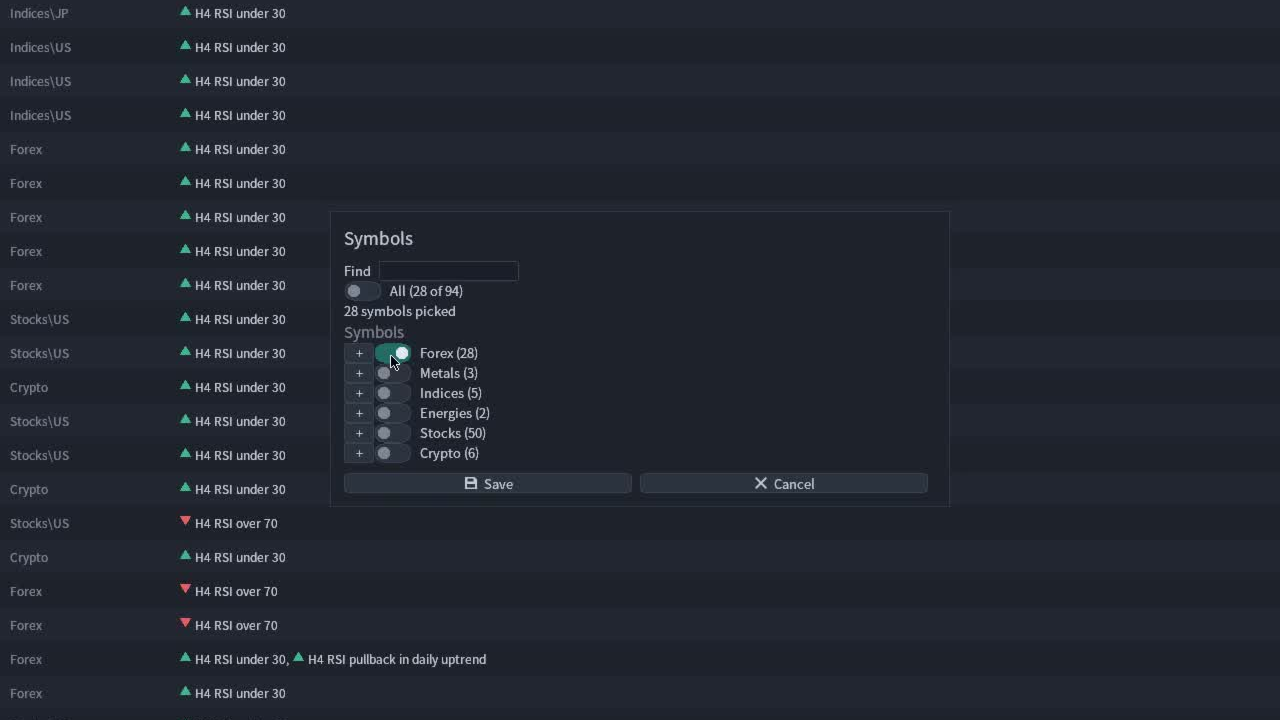
One rule and a list of instruments from my broker. The scanner calls that a bucket: give it a name, pick the symbols, and add up to 20 signals. I can have one bucket for forex and another for metals, with different rules in each. The broker’s symbol picker lets me pick a whole group and uncheck the instruments I don’t want. It adds the symbols it needs to Market Watch. There’s no hard symbol cap, but past 100 it warns you before saving. Start with the instruments you actually look at. The terminal has to load history for every one of those bastards.
After installing the indicator from the Market, find it under Navigator → Indicators → Market and drag it onto a spare chart. It takes over that chart window. The bucket picks the instruments, and each rule names the timeframes it needs. The host chart can be whatever you had open.
How do I get the first row?
Click New bucket, name it H4 pullbacks, then use Choose symbols to pick a few instruments. Save that selection. Click Add signal, then use Load from file to pick the included H4 RSI pullback in daily uptrend. Save the signal and then save the bucket. Save to file in the signal editor writes the file without adding it to the bucket. Different buttons, different jobs.
That signal checks whether the last closed H4 bar has RSI under 30 while the last closed daily bar has price above its 50-period simple moving average. That is a worked example, not a suggestion to trade it. The rule file reads:
marker: bullish
H4.rsi.is_oversold(30)
and D1.sma50.is_above
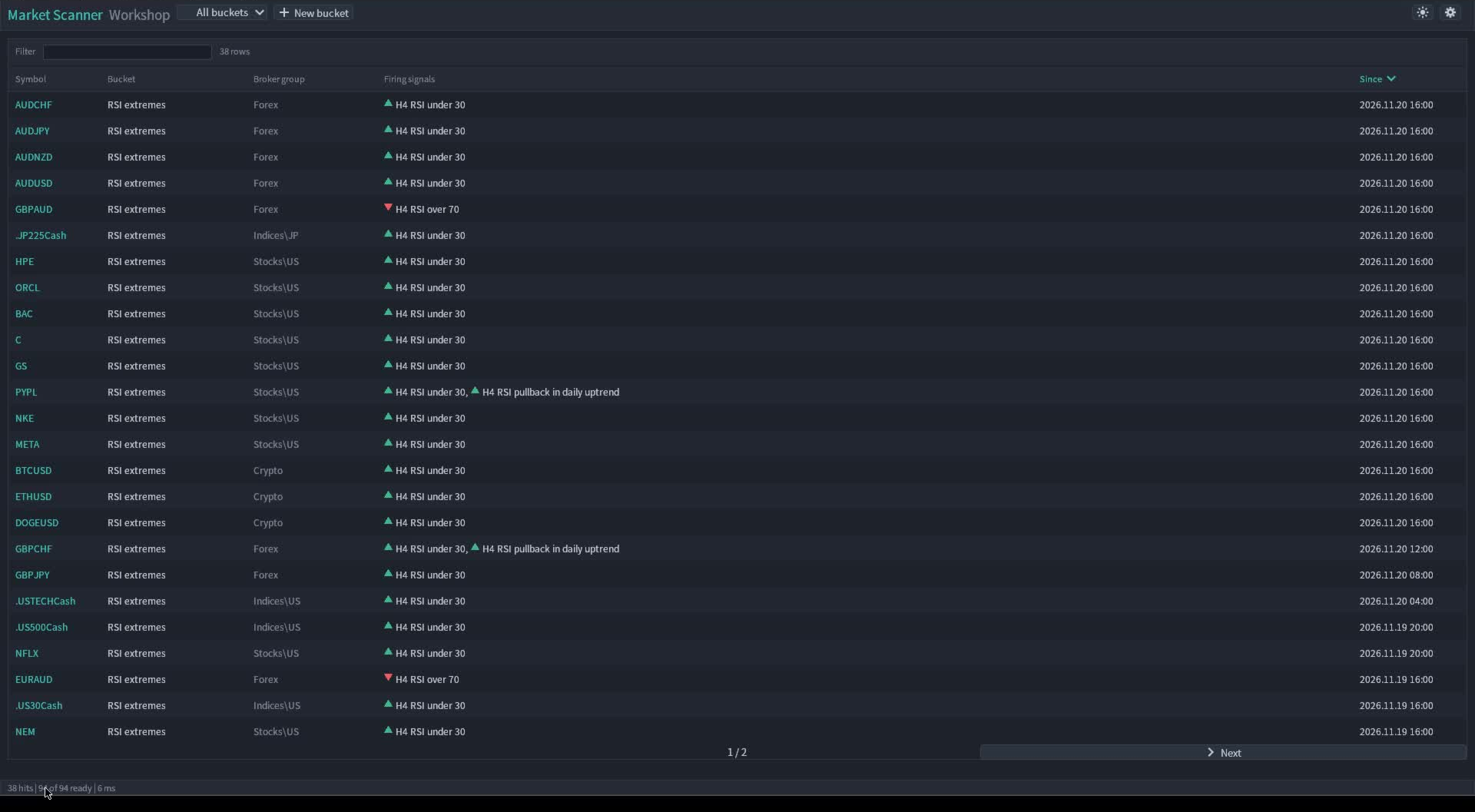
Pick the bucket from the toolbar and let the history load. A row shows the symbol, bucket, broker group, matching signals and when they fired. Sort by Since or filter the table by text. Click the symbol when there’s something you want to inspect. The chart opens on the fastest timeframe used by a firing signal in that row. If the scan has finished and no rule matches, the table stays empty. While it says symbols are loading or failed, an empty table isn’t an answer yet.
Do I have to write that rule?
No. In the editor, pick the timeframe, indicator and test for each condition. Group them under All of these if both have to hold, or use the other group modes if any condition or a minimum count is enough. The editor and the text file represent the same rule. For state checks like price above a moving average, the row can stay up while the condition holds. A cross is an event. If I want to see it for the next few bars rather than just on the firing bar, I can give it a window with within_bars.
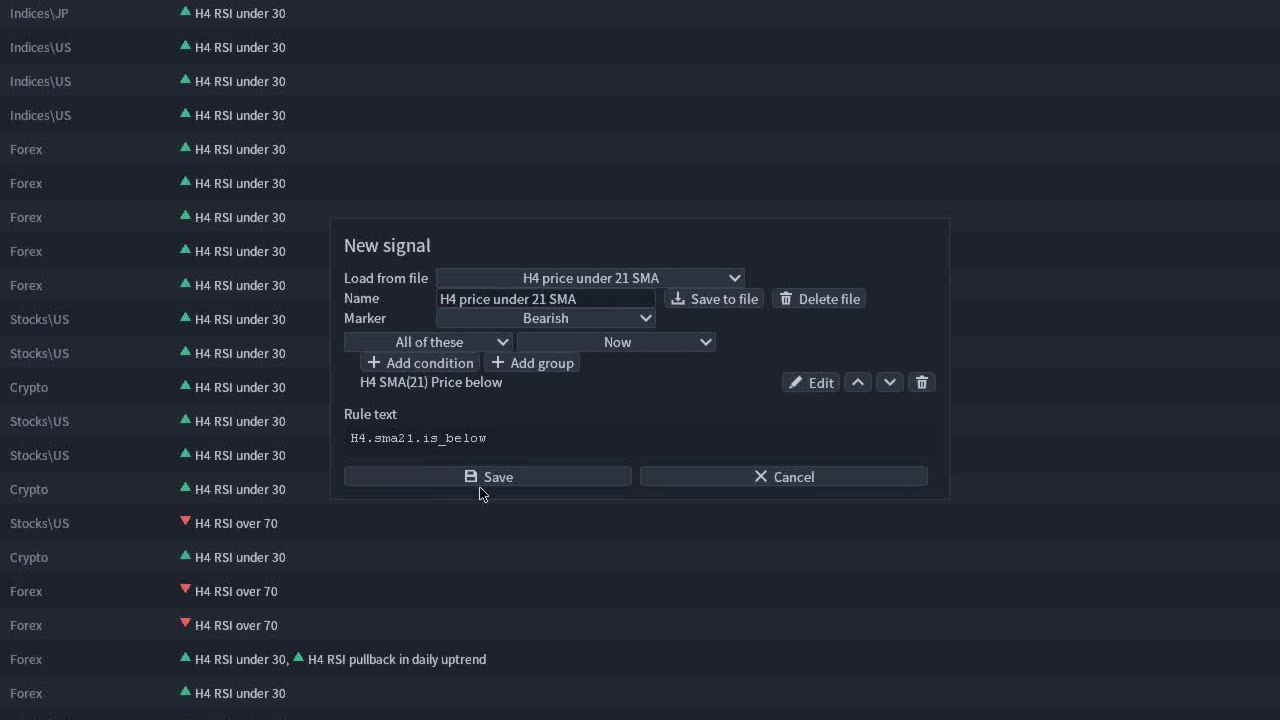
Signals are text files. Buckets are JSON files. Edit them in the terminal’s data directory and the scanner picks up changes after you close its dialogs. You can reuse a rule from Multi Timeframe Signal Workshop, but copy it into the scanner’s Signals directory and replace any Chart. references with concrete timeframes. The scanner has no chart timeframe to borrow. Signal Workshop shows where a rule fired on one chart. The scanner tells me which chart to open in the first place.
Why did that hit not alert?
A rule runs when its fastest timeframe closes a bar. For the H4 and D1 example, the check runs on an H4 close and uses the last closed daily bar. It doesn’t peek at the daily candle that’s still forming. The scanner spreads the work across timer ticks, and missing broker history can delay a result. No, buying a bigger monitor won’t make that shit load faster.
A hit that’s already true when the scanner starts shows up without making noise. An alert needs a known false-to-true transition. Turn on the alert channels you want with the cog: popup, sound, push or email. Since uses the opening time of the firing bar in broker time, not the moment a notification landed. Filtering the table doesn’t turn off scans or alerts for the other buckets.
Can I replay the whole watchlist?
In Strategy Tester, copy the bucket and signal files into the shared Common\Files tree as shown in the user guide. MT5 can scan the configured symbols there; MT4 only sees the symbol under test. That is a tester limitation, not a single-symbol cap when you use the scanner on a live chart. The scan recipes show how to write a signal and bucket by hand, and the rule reference lists what a condition can read.
The question I’d ask before setting any of this up: what would I actually open a chart to check? Write that down. If I can’t say what makes a chart worth opening, asking MetaTrader to check a hundred of them just gets me to the same damn question faster. A match is somewhere to look. The indicator doesn’t place or manage trades.
Market Scanner Workshop is on the MQL5 Market for MetaTrader 5 and MetaTrader 4.